ToggleGroup
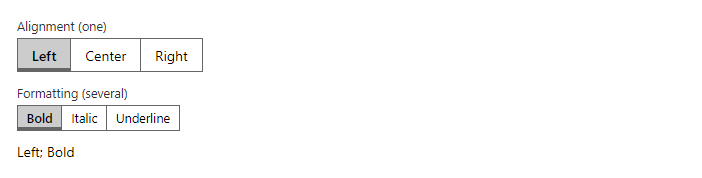
FreeSegmented control for one choice (radio group) or several (toggle buttons). Use it for view switchers and formatting toggles.
Example
Parameters
| Parameter | Type | Description |
|---|---|---|
Class | string | Extra CSS classes added to the root element. |
Disabled | bool | Disables interaction. |
ItemDisabled | Func<TValue, bool> | Returns true for items that cannot be changed; the other items stay editable. |
ItemIcon | Func<TValue, IconName?> | Returns the icon of an item. |
Items | IEnumerable<TValue> | The options to choose from. |
ItemText | Func<TValue, string> | Converts an item to its display text (defaults to ToString()). |
Label | string | Visible label text (charts: accessible name; IconButton: accessible name and tooltip). |
Multiple | bool | Allows several selected rows: click, Ctrl+click, Shift+click, Shift+arrows, Ctrl+A (VirtualList). |
Size | Size | Small, Medium (default) or Large; Dialog also has ExtraLarge. |
Style | string | Inline style added to the root element. |
Value | TValue | Current value. Use with @bind-Value. |
Values | IReadOnlyCollection<TValue> | The numbers to plot. |
Vertical | bool | Lays out or draws vertically instead of horizontally. |
Events
| Event | Type | Description |
|---|---|---|
ValueChanged | EventCallback<TValue> | Raised when the value changes. |
ValuesChanged | EventCallback<IReadOnlyCollection<TValue>> | Raised when the chosen items change. |
Package
ToggleGroup is part of RayCraft Free. Package: RayCraft.Blazor. It comes from nuget.org. See Getting started.
Send feedbackVersion 1.0.3