CandlestickChart
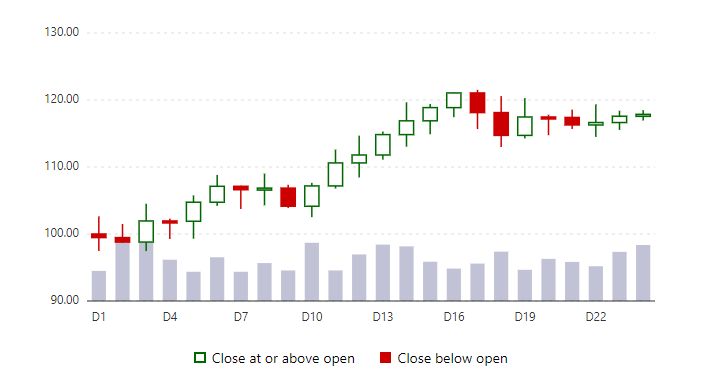
CompleteOpen, high, low and close for each period, with optional volume. A rising period has a hollow body and a falling one a filled body, so the meaning does not rely on color alone.
Example
Parameters
| Parameter | Type | Description |
|---|---|---|
Class | string | Extra CSS classes added to the root element. |
Height | Double | Maximum height of the grid body, for example 24rem (default 28rem with VirtualScroll). |
IndicatorPeriod | int | Number of candles in the average (default 5). |
Indicators | StockIndicators | Sma, Ema and Bollinger flags drawn over the candles. |
Items | IEnumerable<CandleItem> | The options to choose from. |
Label | string | Visible label text (charts: accessible name; IconButton: accessible name and tooltip). |
ShowDataLabels | bool | Writes the value on each mark (bars, line points, pie slices). |
ShowExport | bool | Adds buttons that save the chart as a PNG or SVG image. |
ShowLegend | bool | Shows the clickable legend. |
ShowVolume | bool | Draws the volume bars at the bottom of the chart. |
Style | string | Inline style added to the root element. |
ValueFormat | string | Number format for axis and tooltips, e.g. N0 or P1. |
Width | Double | Skeleton: any CSS length. Charts: drawing width in SVG units (the chart still scales to its container). |
Zoomable | bool | Adds zoom and pan buttons; the chart shows a window of the categories. |
Package
CandlestickChart is part of RayCraft Complete. Package: RayCraft.Blazor.Complete. It comes from the private RayCraft feed and needs an active license. See Getting started.
Send feedbackVersion 1.0.3