DateTimeRangePicker
FreePeriod with start and end, picked on one calendar that shows two months side by side (Months) (first click sets the start, second sets the end) and typed or adjusted per field. The value is a DateTimeRange. Set IncludeTime to false for dates only. A date typed without a time keeps the time already chosen. Times use the same field as TimePicker.
Example
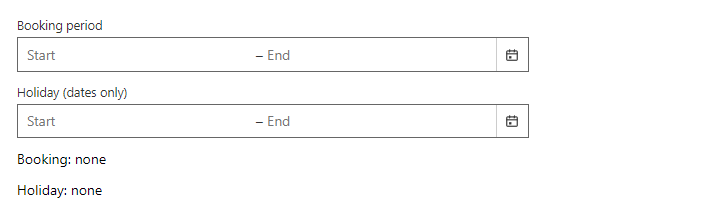
Parameters
| Parameter | Type | Description |
|---|---|---|
Class | string | Extra CSS classes added to the root element. |
Disabled | bool | Disables interaction. |
DisplayName | string | Name used in validation messages. |
HelperText | string | Hint shown below the field. |
IncludeTime | bool | Also picks the time of day (default true). Set false for dates only. |
Label | string | Visible label text (charts: accessible name; IconButton: accessible name and tooltip). |
MaxDate | DateTime? | Latest selectable date. |
MinDate | DateTime? | Earliest selectable date. |
Months | int | How many months the popup shows side by side (default 2). They stack on narrow screens. |
Presets | IEnumerable<DateRangePreset> | Your own quick ranges: DateRangePreset(label, start, end). |
ReadOnly | bool | Shows the value but does not allow changes. |
ShowPresets | bool | Shows a list of quick ranges (today, last 7 days, this month...) next to the calendar. |
Style | string | Inline style added to the root element. |
Value | DateTimeRange | Current value. Use with @bind-Value. |
Events
| Event | Type | Description |
|---|---|---|
ValueChanged | EventCallback<DateTimeRange> | Raised when the value changes. |
Package
DateTimeRangePicker is part of RayCraft Free. Package: RayCraft.Blazor. It comes from nuget.org. See Getting started.
Send feedbackVersion 1.0.3