FileManager
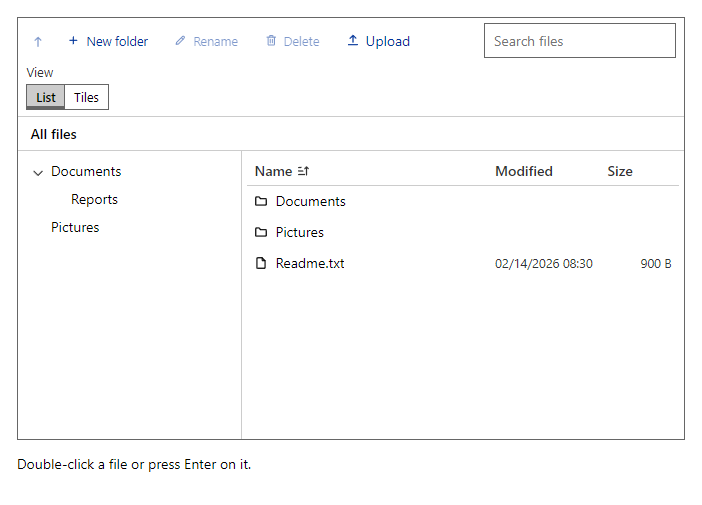
CompleteFolder tree, path, and a list or tile view of the files in the current folder, with search, sorting, new folder, rename, delete and upload. The component keeps no files: it raises events and your code changes the list (a database, a disk or a cloud store). Keyboard: arrows move, Enter opens, F2 renames, Delete removes, Backspace goes up.
Example
Parameters
| Parameter | Type | Description |
|---|---|---|
Class | string | Extra CSS classes added to the root element. |
CurrentFolderId | string | The open folder. Use with @bind-CurrentFolderId. |
Items | IEnumerable<FileEntry> | FileEntry(id, name, parentId, isFolder, size, modified) items; parentId is null at the top. |
Label | string | Visible label text (charts: accessible name; IconButton: accessible name and tooltip). |
MaxUploadSize | Int64 | Larger files are ignored (bytes). |
ReadOnly | bool | Hides editing commands. |
Style | string | Inline style added to the root element. |
Events
| Event | Type | Description |
|---|---|---|
CurrentFolderIdChanged | EventCallback<string> | |
OnCreateFolder | EventCallback<FolderRequest> | Raised with a FolderRequest (parent and name). |
OnDelete | EventCallback<FileEntry> | Raised after the user confirms deleting an entry. |
OnOpen | EventCallback<FileEntry> | Raised with a file the user opens. |
OnRename | EventCallback<FileRenameRequest> | Raised with a FileRenameRequest (entry and new name). |
OnUpload | EventCallback<FileUploadRequest> | Raised with the chosen files; when not set, the Upload button is hidden. |
Package
FileManager is part of RayCraft Complete. Package: RayCraft.Blazor.Complete. It comes from the private RayCraft feed and needs an active license. See Getting started.
Send feedbackVersion 1.0.3