MaskedInput
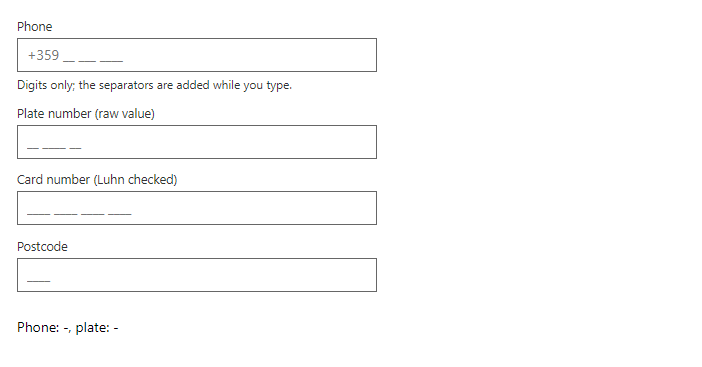
FreeText field that formats what you type by a mask: 0 is a digit, a is a letter, * is a letter or digit, any other character is a fixed separator (escape a mask character with a backslash). The fixed part is added for you (typing it yourself is also accepted). The value is only accepted when the mask is complete. Preset gives ready masks with checks (Date, Time, CreditCard with the Luhn check), and Pattern adds a regular expression that the finished value must match.
Example
Parameters
| Parameter | Type | Description |
|---|---|---|
Class | string | Extra CSS classes added to the root element. |
Disabled | bool | Disables interaction. |
DisplayName | string | Name used in validation messages. |
HelperText | string | Hint shown below the field. |
Label | string | Visible label text (charts: accessible name; IconButton: accessible name and tooltip). |
Mask | string | Pattern: 0 digit, a letter, * letter or digit, other characters are literals. |
Pattern | string | Regular expression the finished value must match. |
PatternMessage | string | Error text when Pattern does not match. |
Placeholder | string | Placeholder shown when the field is empty. |
Preset | MaskPreset | Ready-made mask with validation: Date, Time or CreditCard. Mask overrides it. |
ReadOnly | bool | Shows the value but does not allow changes. |
ReturnRaw | bool | Binds the typed characters without the separators. |
Style | string | Inline style added to the root element. |
Value | string | Current value. Use with @bind-Value. |
Events
| Event | Type | Description |
|---|---|---|
ValueChanged | EventCallback<string> | Raised when the value changes. |
Package
MaskedInput is part of RayCraft Free. Package: RayCraft.Blazor. It comes from nuget.org. See Getting started.
Send feedbackVersion 1.0.3