Splitter
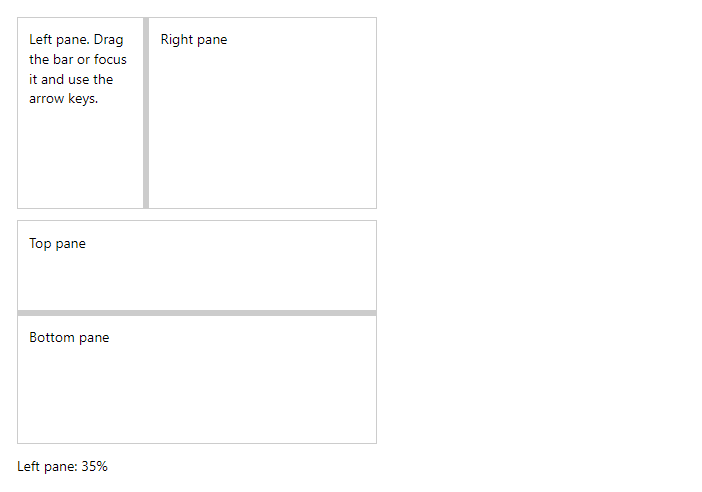
FreeTwo resizable panes. Drag the bar with the mouse or touch, or focus it and use the arrow keys (Shift for bigger steps, Home and End for the limits). With PersistKey the position is remembered in local storage.
Example
Parameters
| Parameter | Type | Description |
|---|---|---|
ActivePane | SplitterPane | The pane shown in the narrow single-pane mode (default First). Two-way. |
Class | string | Extra CSS classes added to the root element. |
Collapsed | SplitterPane | The collapsed pane (None, First or Second). Two-way. |
CollapsiblePane | SplitterPane | The pane that Enter or a double click on the bar collapses (default none). |
First | RenderFragment | Content of the first pane. |
MinSize | Double | Smallest size of either pane in percent. |
PersistKey | string | Remembers the split (and the collapsed pane) in local storage under this name and restores it next time. |
Second | RenderFragment | Content of the second pane. |
SingleBelow | Breakpoint? | Below this breakpoint only the active pane is shown and the bar is hidden. |
Size | Double | Size of the first pane in percent. Use with @bind-Size. |
Style | string | Inline style added to the root element. |
Vertical | bool | Stacks the panes top to bottom. |
Events
| Event | Type | Description |
|---|---|---|
ActivePaneChanged | EventCallback<SplitterPane> | |
CollapsedChanged | EventCallback<SplitterPane> | |
SizeChanged | EventCallback<Double> | Raised when the bar is moved. |
Package
Splitter is part of RayCraft Free. Package: RayCraft.Blazor. It comes from nuget.org. See Getting started.
Send feedbackVersion 1.0.3