DockLayout
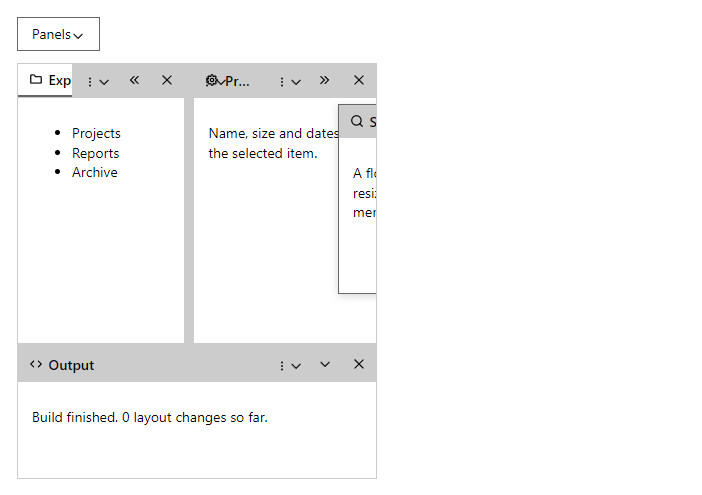
CompleteA workspace of panels. Panels dock to the left, right, top, bottom or center, share an area as tabs, collapse into a rail, or float above the layout.
Example
Parameters
DockLayout
| Parameter | Type | Description |
|---|---|---|
CenterContent | RenderFragment | Content of the center area while no panel is docked there. |
ChildContent | RenderFragment | Content rendered inside the component. |
Class | string | Extra CSS classes added to the root element. |
Height | string | CSS height of the whole layout. |
Label | string | Accessible name of the layout. |
PersistKey | string | Remembers the arrangement in local storage under this name. |
Style | string | Inline style added to the root element. |
DockPanel
| Parameter | Type | Description |
|---|---|---|
ChildContent | RenderFragment | Content of the panel. |
Closable | bool | Shows the close button. |
Floatable | bool | Allows the panel to float. |
FloatHeight | int | Starting height of a floating panel in pixels. |
Floating | bool | Starts as a floating panel. |
FloatLeft | int | Starting left of a floating panel in pixels. |
FloatTop | int | Starting top of a floating panel in pixels. |
FloatWidth | int | Starting width of a floating panel in pixels. |
Icon | IconName? | Icon in the tab, title bar and the collapsed rail. |
Id | string | Unique name of the panel inside its layout. |
Position | DockPosition | Where the panel starts: Left, Right, Top, Bottom or Center. |
Size | int? | Starting width (left, right) or height (top, bottom) of its area in pixels. |
Title | string | Text of the tab or title bar. |
Visible | bool | Shows or hides the panel. |
Events
DockLayout
| Event | Type | Description |
|---|---|---|
LayoutChanged | EventCallback<DockLayoutState> | Raised after every change with the current layout (DockLayoutState). |
Package
DockLayout is part of RayCraft Complete. Package: RayCraft.Blazor.Complete. It comes from the private RayCraft feed and needs an active license. See Getting started.
Send feedbackVersion 1.0.3