DashboardLayout
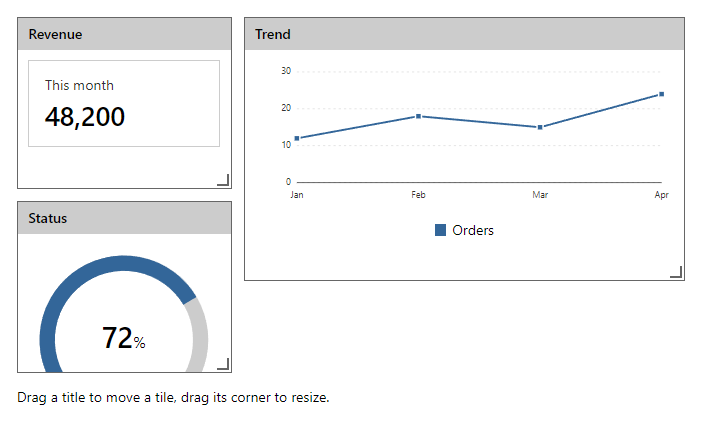
CompleteGrid of tiles that the user moves and resizes with the mouse, touch or the keyboard (Alt with arrow keys moves, Alt with Shift resizes). Tiles never overlap, and below the md breakpoint they stack in one column.
Example
Parameters
DashboardLayout
| Parameter | Type | Description |
|---|---|---|
ChildContent | RenderFragment | Content rendered inside the component. |
Class | string | Extra CSS classes added to the root element. |
Columns | int | Column definitions: DataGridColumn elements. |
Compact | bool | |
Filters | DashboardFilters | |
Gap | int | |
Label | string | Visible label text (charts: accessible name; IconButton: accessible name and tooltip). |
Locked | bool | |
RowHeight | int | Row height in pixels when VirtualScroll is on (default 44). |
Style | string | Inline style added to the root element. |
DashboardTile
| Parameter | Type | Description |
|---|---|---|
ChildContent | RenderFragment | Content rendered inside the component. |
Class | string | Extra CSS classes added to the root element. |
Column | int | |
ColumnSpan | int | Returns how many columns the cell of an item covers. |
Id | string | |
MinColumnSpan | int | |
MinRowSpan | int | |
Row | int | |
RowSpan | int | |
Style | string | Inline style added to the root element. |
Title | string | Title text (drawer header, tab caption, column header, step caption). |
Events
DashboardLayout
| Event | Type | Description |
|---|---|---|
FiltersChanged | EventCallback<DashboardFilters> | |
OnLayoutChanged | EventCallback<IReadOnlyList<DashboardPlacement>> |
Package
DashboardLayout is part of RayCraft Complete. Package: RayCraft.Blazor.Complete. It comes from the private RayCraft feed and needs an active license. See Getting started.
Send feedbackVersion 1.0.3