NavMenu
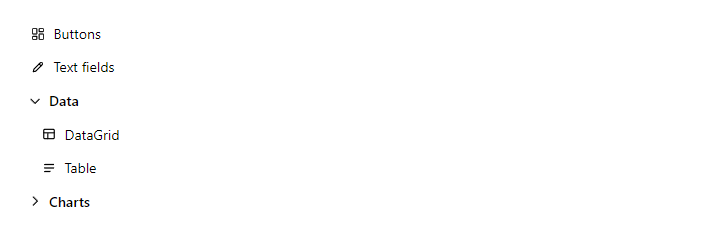
FreeVertical navigation with active-page highlighting (built on NavLink) and collapsible groups. Give NavItem a Tooltip and NavGroup an Icon when the menu is used in a Drawer with Mini: the closed drawer then shows only icons, and a group opens as a small flyout.
Example
Parameters
NavMenu
| Parameter | Type | Description |
|---|---|---|
ChildContent | RenderFragment | Content rendered inside the component. |
Class | string | Extra CSS classes added to the root element. |
Label | string | Visible label text (charts: accessible name; IconButton: accessible name and tooltip). |
Style | string | Inline style added to the root element. |
NavItem
| Parameter | Type | Description |
|---|---|---|
ChildContent | RenderFragment | Content rendered inside the component. |
Class | string | Extra CSS classes added to the root element. |
Href | string | Link address. On a Button it makes the button render as a link with the same look. |
Icon | IconName? | Icon to show (IconName). |
Match | NavLinkMatch | NavLinkMatch.Prefix (default) or All. |
Style | string | Inline style added to the root element. |
Tooltip | string | Native tooltip text; use it on NavItems so the icon-only rail stays understandable. |
NavGroup
| Parameter | Type | Description |
|---|---|---|
ChildContent | RenderFragment | Content rendered inside the component. |
Class | string | Extra CSS classes added to the root element. |
Expanded | bool | Whether the item is open. Use with @bind-Expanded. |
Icon | IconName? | Icon to show (IconName). |
Style | string | Inline style added to the root element. |
Title | string | Title text (drawer header, tab caption, column header, step caption). |
Package
NavMenu is part of RayCraft Free. Package: RayCraft.Blazor. It comes from nuget.org. See Getting started.
Related controls
Send feedbackVersion 1.0.3