Chat
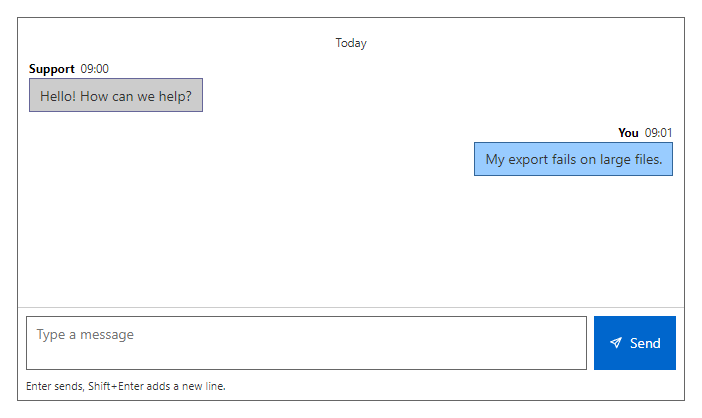
CompleteMessage list with a composer. The list is a live region that scrolls to the newest message, text is always shown as plain text, Enter sends and Shift+Enter adds a new line (MultiLine=false makes it a single line). Messages from the same author within five minutes are grouped, and a heading appears when the day changes.
Example
Parameters
| Parameter | Type | Description |
|---|---|---|
Class | string | Extra CSS classes added to the root element. |
Disabled | bool | Disables interaction. |
Label | string | Visible label text (charts: accessible name; IconButton: accessible name and tooltip). |
MaxLength | int | Largest number of characters allowed. |
Messages | IEnumerable<ChatMessage> | The conversation: author, text, time and whether it is your own message. |
MultiLine | bool | Multi-line field where Shift+Enter adds a new line (default true). |
Placeholder | string | Placeholder shown when the field is empty. |
ReadOnly | bool | Shows the value but does not allow changes. |
Style | string | Inline style added to the root element. |
TypingText | string | Line shown after the last message, for example a typing notice. |
Events
| Event | Type | Description |
|---|---|---|
OnSend | EventCallback<string> | Raised with the trimmed text when the user sends. |
Package
Chat is part of RayCraft Complete. Package: RayCraft.Blazor.Complete. It comes from the private RayCraft feed and needs an active license. See Getting started.
Send feedbackVersion 1.0.3